

How to Check Custom Shirt Print Quality: 7-Step Guide
Table of Contents
- Why Shirt Print Quality Matters Before You Approve an Order
- How to Check a T-Shirt Print Before Approving a Proof
- Your Custom Shirt Print Inspection Checklist
- How to Tell If a Shirt Print Will Crack or Peel
- Match Your Quality Checks to the Printing Method
- How to Wash Custom Printed Shirts Without Ruining the Design
- How to Document and Resolve a Defective Print Order
- Conclusion
- Frequently Asked Questions
Last Updated: October 19, 2026
Why Shirt Print Quality Matters Before You Approve an Order
A custom shirt is a walking billboard for your church, ministry, or business. If the print looks dull or starts peeling after two washes, that message falls apart. Learning how to check custom shirt print quality before you approve an order protects your budget and your reputation.
A shirt that looks fine in a photo can hide real problems up close. The checklist below shows you what to look for.
How to Check a T-Shirt Print Before Approving a Proof
Start with the proof, not the finished shirt. A proof is your only chance to catch problems before production begins. Reviewing it carefully saves everyone a headache later.
Here is how to check a T-shirt print before approving a proof:
- Compare the proof to your original artwork file, side by side
- Check that all text is spelled correctly and fully legible
- Confirm colors match your brand or ministry palette
Digital Mockup vs. Sample Print vs. Production Run
These three stages are not the same, and mixing them up causes most approval mistakes.
A digital mockup is a computer image of your design on a shirt. It shows layout and rough color, but it cannot show real ink texture or fabric feel.
Many shops skip physical samples on smaller orders. If your design has fine detail or tight color matching, ask whether a sample is possible.
Your Custom Shirt Print Inspection Checklist
When the shirts arrive, inspect them before you hand them out. A custom shirt print inspection checklist keeps you consistent and fair.
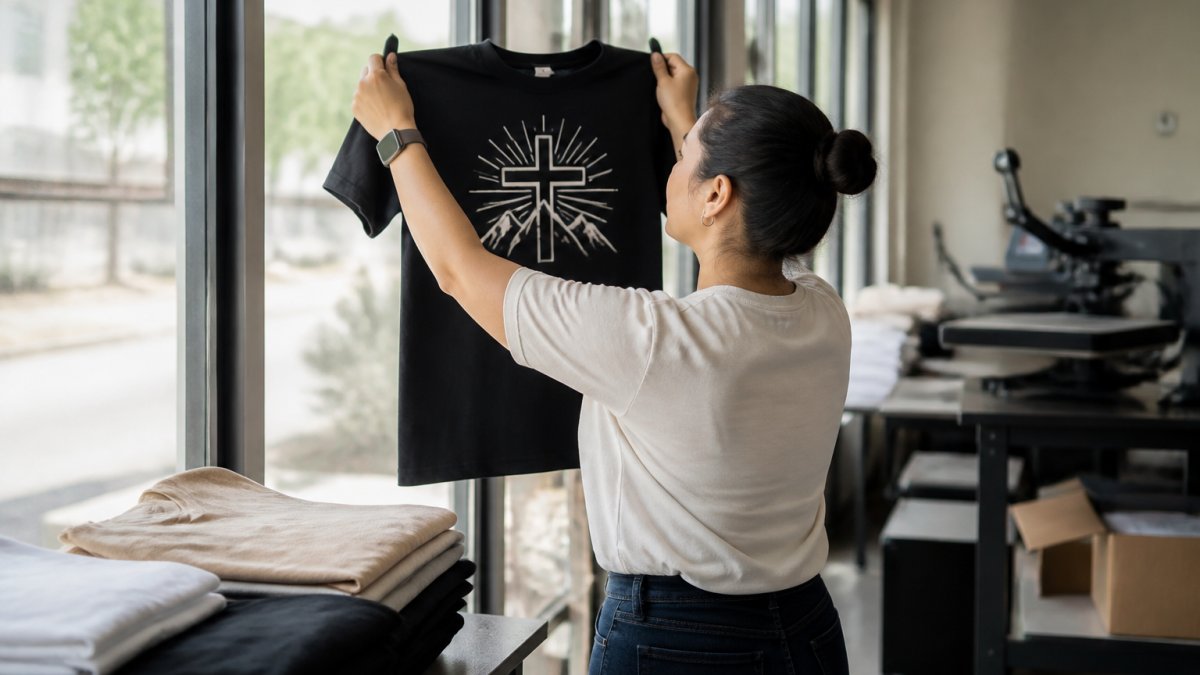
Most guides hand you a list of things to look at. That is not enough.
Step 1: Set up the inspection station
You cannot judge color or edge sharpness in a dim room or under yellow warehouse lighting. Use a flat table with neutral, even lighting, daylight or a bright white LED works well. Keep the approved proof or digital mockup on a tablet or printout beside you. Have a tape measure and a pen handy for notes.
Step 2: Inspect in a fixed order
Work through the same checks in the same order on every shirt so nothing gets missed:
- Color accuracy: Does the print match your approved proof?
- Color consistency: Do two shirts from the same batch look identical?
- Registration: Do separate colors line up without gaps or overlap?
Step 3: Apply practical pass/fail checks
A checklist is only useful if you can decide what counts as a problem. These are working thresholds to consider when reviewing a finished shirt:
- Placement: Measure from the collar seam to the top of the print and from each shoulder seam to the print edge. A design that is visibly off-center or tilted when the shirt is laid flat is a reject. Small variations within a fraction of an inch are normal on soft goods.
- Color variation: Compare shirts side by side, not one at a time. A slight shift between garments is normal; a clearly different shade in the same batch is a defect.
- Registration: On a multi-color logo, look for a colored halo or a visible gap between shapes. If you can see it at arm's length, it is a defect.
Step 4: Sort defects by severity
Not every flaw is worth rejecting a whole order. You can sort them into three buckets:
- Critical: Misprint, wrong design, wrong garment, wrong color, or a design placed on the wrong side. These require a reprint.
- Major: Visible registration errors, off-center placement, patchy ink, or a clearly different shade within the batch. These usually warrant a remake of the affected shirts.
- Minor: Tiny variations in ink texture or a hair of placement drift that no one would notice on a person. Note them, but they rarely justify a reprint.
Step 5: Sample across the batch
Do not inspect only the first shirt. Pull several from different points in the stack, top, middle, and bottom, and compare them. If the batch was printed in runs, the last shirts printed are often where quality drifts. A quick spot check of five to ten shirts tells you more than a careful look at one.
If you would rather have a partner walk this process with you from proof to delivery, our custom T-shirt printing team is glad to help. Request a quote and we will talk through what to inspect for your specific design.
How to Tell If a Shirt Print Will Crack or Peel
A print that cracks or peels usually fails for one of three reasons: too much ink, poor curing, or the wrong method for the fabric.
Press a fingernail gently into the print. A good print flexes with the fabric. A print that feels stiff, thick, or plastic-like is more likely to crack along fold lines.
Also check the fabric itself. A thin, low-quality shirt stretches and pulls, and the print has to move with it.
Wear It. Create It. Live It. →
Match Your Quality Checks to the Printing Method
Different printing methods fail in different ways, so your checks should change with the method. Screen printing, direct-to-garment (DTG), direct-to-film (DTF), heat transfer, and embroidery each have their own quality signals.
Ask your printer which method they use and why. A good partner will explain the trade-offs for your fabric and design. Our custom T-shirt printing leans on premium DTF for long-lasting color, and we are happy to talk through what fits your project.
Screen printing
- What to check: Even ink coverage across the design, sharp edges, and consistent color from shirt to shirt.
- Warning signs: Heavy ink buildup that feels thick and stiff, pinholes where the shirt color shows through, or ink that looks thin and washed out on dark garments.
- Watch for: On multi-color designs, poor registration shows as a colored halo or a gap between shapes. On stretchy areas, hairline cracks near the edges are an early sign of a curing problem.
Direct-to-garment (DTG)
DTG prints ink directly into the fabric, similar to an inkjet printer. It is popular for detailed, full-color designs and small runs.
- What to check: Smooth, soft hand feel, strong color on the garment, and clean fine lines and small text.
- Warning signs: A faded or washed-out look on dark shirts, a visible white underbase that feels thick, or fuzzy edges on small details.
- Watch for: DTG on dark garments needs a pretreatment and a white underbase. If that underbase is uneven, the print can look patchy or feel stiff in spots.
Direct-to-film (DTF)
DTF prints the design onto a film, then heat-presses it onto the garment. It handles fine detail and full color well and works on many fabric types.
- What to check: A smooth, flexible finish, strong color, and crisp fine lines and small text.
- Warning signs: A plastic-like or stiff feel, a visible film edge around the design, or lifting at the corners.
- Watch for: Fine lines and small text are where DTF either shines or struggles. Look closely at the thinnest strokes in your design.
Heat transfer
- What to check: Edges fully bonded to the fabric with no lifting corners, even color, and a clean outline.
- Warning signs: Curled or lifting edges, bubbles under the transfer, or a glossy patch that does not match the rest of the design.
- Watch for: A transfer that was not pressed long enough or at the right temperature will start to lift at the edges, often after the first wash.
Embroidery
- What to check: Even, dense stitching with no gaps, clean edges on letters and shapes, and a backing that does not pucker the fabric.
- Warning signs: Loose or looping threads, skipped stitches, puckering around the design, or a backing that shows through on the front.
- Watch for: Small text and fine detail are the hardest things to embroider cleanly. If your design has tiny lettering, ask whether embroidery is the right method or whether a printed patch would look sharper.
If you are not sure which method fits your design, fabric, and budget, contact us and we will walk through the options with you.
How to Wash Custom Printed Shirts Without Ruining the Design
Proper care protects the print and the fabric. A few simple habits keep colors bright and edges sharp for far longer.
- Turn the shirt inside out before washing
- Use cold water on a gentle cycle
- Skip fabric softener and bleach
Wash a single test shirt first and inspect it after. This at-home wash and wear test tells you how the whole batch will likely hold up.
Following the care instructions on the garment tag matters too. Those instructions are set for the specific fabric and print.
How to Document and Resolve a Defective Print Order
Problems happen, and how you handle them protects your time and money. Document everything before you call.
Photograph the defect in good light, note the order number, and count how many shirts are affected. Keep the defective shirts separate from the good ones.
A fair printer will sort out real defects, like misprints or damaged items. Our satisfaction guarantee covers damaged or misprinted items.
Conclusion
Approving a print order without a real inspection is a gamble, and ministry budgets cannot afford many of them. Use the checklist, test a shirt at home, and document anything that looks wrong.
If you want a printing partner who walks through quality with you from proof to delivery, we are here to help. Calvary Design Prints offers custom T-shirt printing, church and ministry apparel, and bulk orders for teams of every size.
Frequently Asked Questions
How can you tell if a custom shirt print is good quality?
A quality print has crisp edges, even ink coverage, and colors that match your approved proof. Run your fingers over the design: it should feel smooth or evenly textured, not thick and rubbery. Check for registration errors where colors overlap or leave gaps. Look at small text and fine lines; they should stay legible. Finally, stretch the fabric gently. A well-cured print flexes with the shirt without cracking. If you spot inconsistency across multiple shirts, that is a sign of poor shirt print quality control.
What should I check on a shirt print before approving an order?
Use a custom shirt print inspection checklist: verify color accuracy against your proof, check print placement and design alignment on the chest or sleeve, confirm crisp lines and small text legibility, and inspect for cracking, peeling, or smudges. Look at the fabric quality and garment construction too. Compare a few shirts from the batch for repeatability. If anything looks off, document it with photos and contact your printer before the full run ships.
How do you test whether a T-shirt print will crack or peel?
Gently stretch the printed area sideways and lengthwise. A properly cured print moves with the fabric; a failing print will show hairline cracks or lift at the edges. You can also wash the shirt inside out in cold water and air dry it. Check the print after each wash for fading, color bleeding, or peeling. If you are ordering a large batch, request a sample print and run this test before committing to the full production run.
How should you wash a custom printed shirt to protect the design?
Turn the shirt inside out and wash in cold water on a gentle cycle. Avoid fabric softener and bleach, which can break down the ink. Skip the dryer or use low heat; high heat speeds up cracking and fading. Hang or lay flat to dry. Wait at least 24 hours after printing before the first wash. Following these care instructions helps maintain colorfastness and print durability for the life of the shirt.